See it in action
A closer look at the vault, backup, and privacy features inside PixValt.
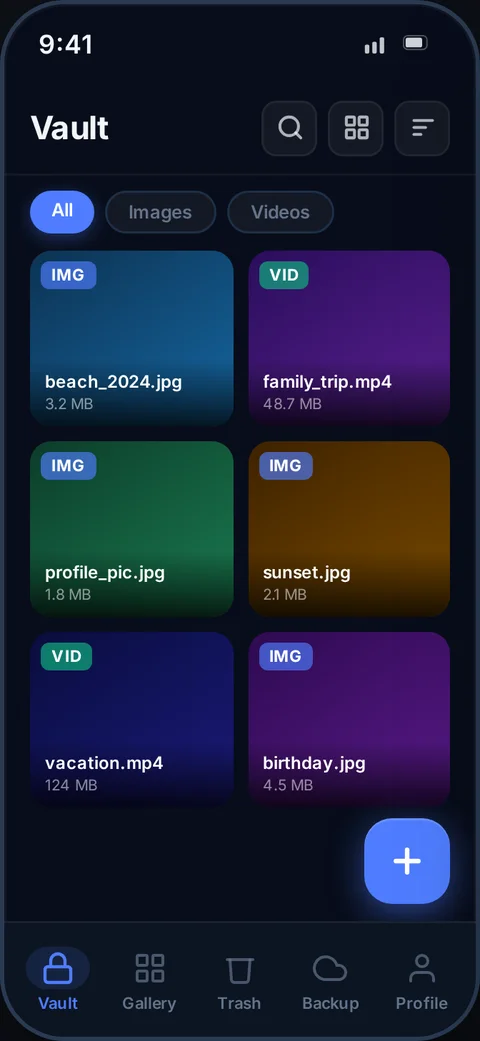
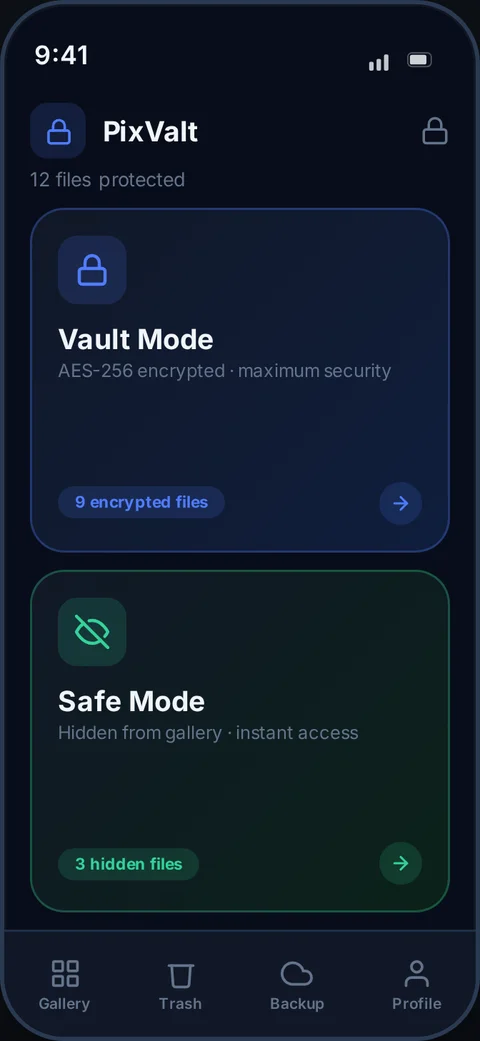
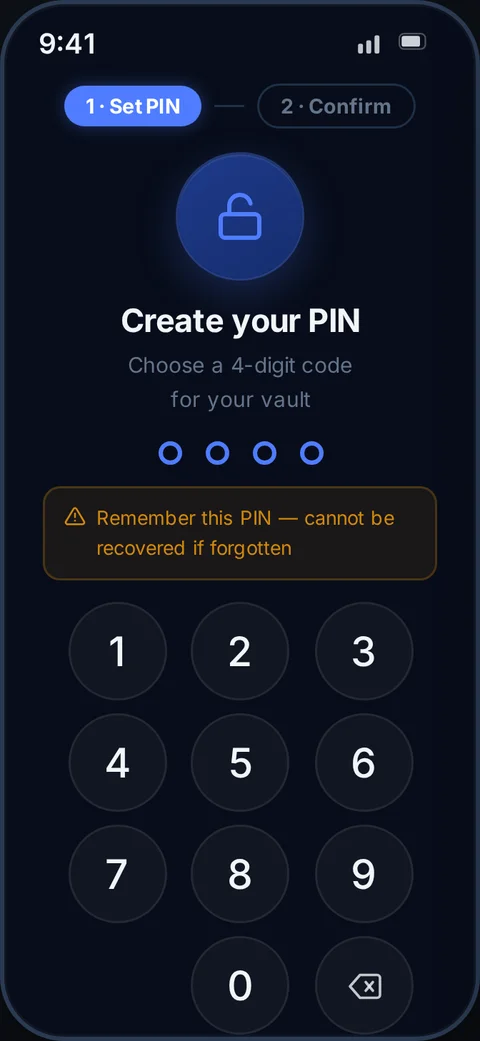
PixValt hides and encrypts every photo and video directly on your device. No server sees your files. No ads. No subscriptions. Only you hold the key.
No spam. First 200 get Pro free. Unsubscribe anytime.
Every app with gallery access can read your files. Every cloud service scans them. Your screen lock protects nothing.
Google Photos and similar services analyse your images for ads, content moderation, and AI training — whether you read the terms or not.
Once you grant media permission, any installed app can read every photo and video you've ever taken. Your private moments are one permission away from exposure.
If your phone is lost or stolen, photos are readable directly from the filesystem. A screen PIN is a speed bump. Real encryption is the only real barrier.
Lend your phone for a minute — and anyone can scroll through your entire gallery. PixValt moves your private files completely out of the gallery.
Your camera silently embeds GPS coordinates, device model, and timestamp into every photo you take. Share an image — and you share your exact whereabouts.
Handing your phone to a technician for repair? They can browse every photo and video on your device. There is no consent screen for a service centre visit.
Choose how much protection you need — per file, per folder, your way.
Files are moved out of your gallery into app-only storage in their original format. Instant. No encryption key needed. Invisible to every other app and the gallery.
Files are encrypted using your personal 6-digit key and stored as a proprietary .pvlt format that no other app or tool can open — even with physical device access.
No account needed. No internet required. Encryption happens in seconds.
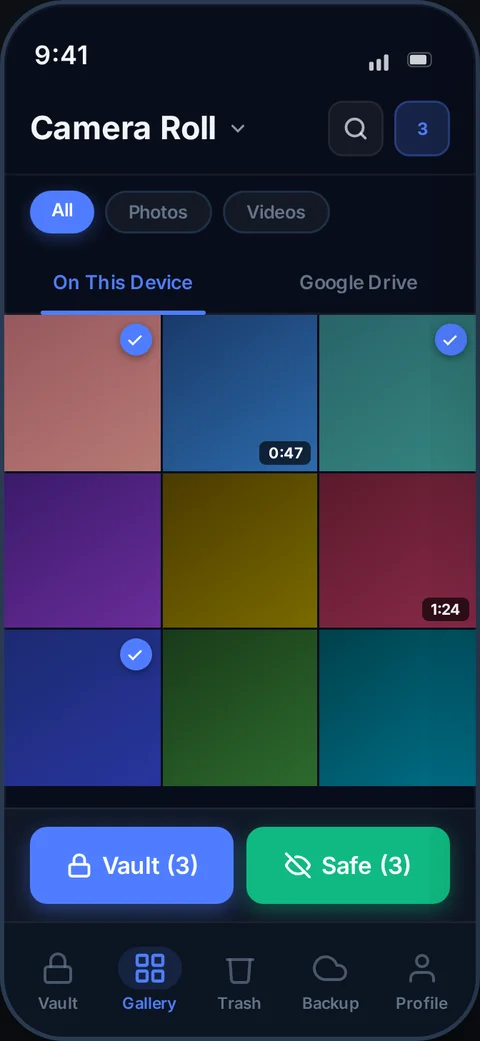
Browse your device gallery or Google Drive directly inside PixValt. Select one photo or hundreds at once.
Choose Safe Mode (hide) or Vault Mode (encrypt). Files disappear from gallery instantly. Original securely deleted.
Files live inside PixValt only. No gallery, no file manager, no other app — nothing can see them without your PIN.
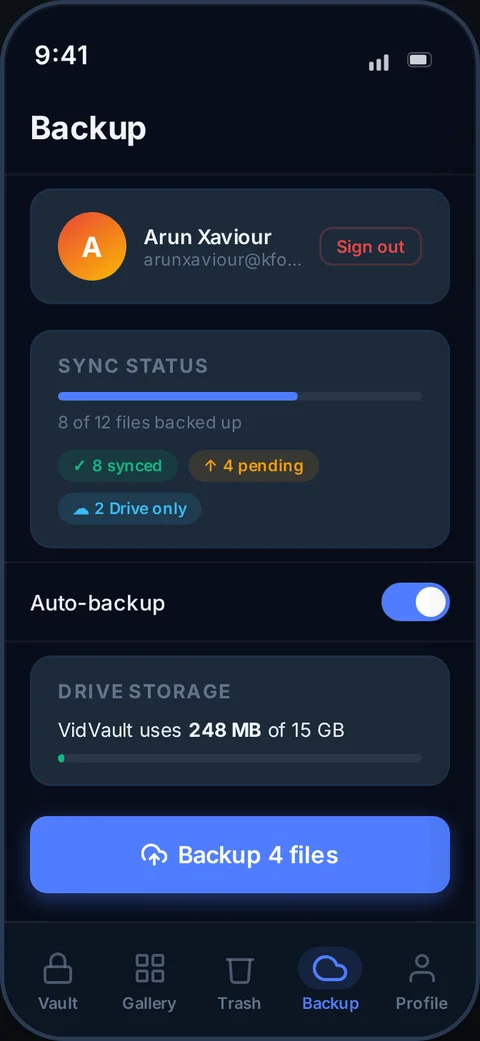
Encrypted files sync to your own Google Drive automatically. New phone? Enter your PIN and restore everything.
A closer look at the vault, backup, and privacy features inside PixValt.
Built for people who take privacy seriously — without needing a tech degree.
Military-grade standard used by banks and governments — applied to every file the moment it enters Vault Mode.
Move files out of the gallery without encryption. Invisible to every app. Instant import regardless of file size.
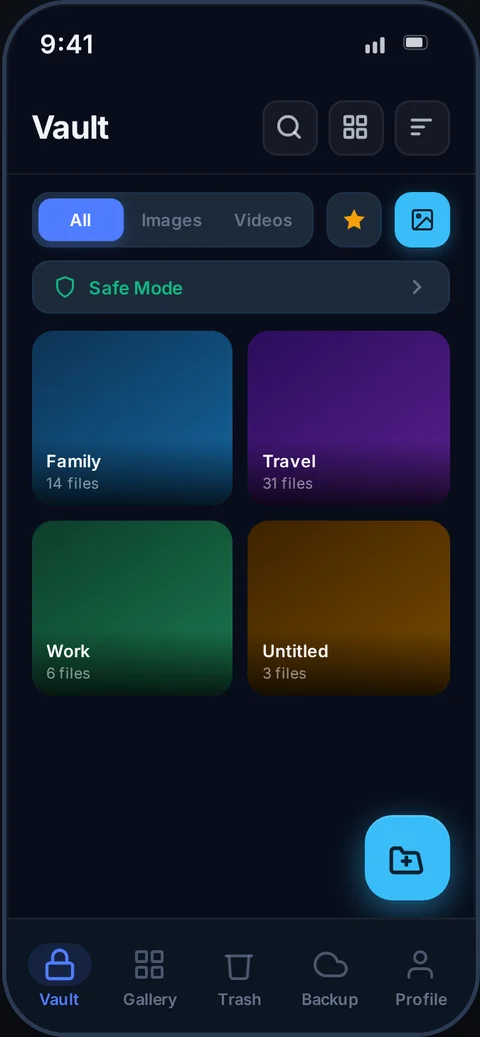
Create named folders. Each folder gets its own PIN. Enable encryption per folder — the PIN becomes the encryption key.
Mark folders as hidden — they vanish from the vault view. Reveal them only by triple-tapping the logo or drawing a secret pattern.
Encryption runs entirely on your phone. No internet needed. No PixValt server ever receives, sees, or stores your files.
Back up your encrypted vault to your own Google Drive. Even Google cannot read the files — only your PIN decrypts them.
Vault locks the moment you leave the app — 15 seconds, 30 seconds, 1 or 5 minutes. Configurable to your lifestyle.
Accidentally deleted a file? Restore it any time within 30 days. After that, gone for good — no half-deleted files lingering.
Full-text search. Sort by newest, oldest, name, or size. Filter by images, videos, favourites, or groups.
Star the files you access most. One-tap filter shows only your favourites — no scrolling through hundreds of files.
Need to share a file? Export a decrypted copy via your phone's share sheet. The vault copy stays encrypted — always.
Phone lost? Install PixValt on any Android, restore from Drive, enter your PIN — all files back. Zero data loss.
These features are already planned and in development. Sign up to be first in line.
Fingerprint or face unlock as an alternative to PIN entry.
A second PIN opens a separate, empty decoy vault. Real vault stays hidden.
Captures a selfie and timestamp if someone enters the wrong PIN 3 times.
Capture photos and videos directly into the vault — never saved to gallery.
Time-limited, revocable share links. Server never sees file content.
One-tap import of your entire WhatsApp media folder into the vault.
Most vault apps dress a gallery up with a PIN screen. PixValt was built from scratch on real security principles.
The files sit in standard format. Bypass the screen lock and the photos are fully readable by any tool.
Safe Mode moves files out of the gallery entirely. Vault Mode wraps them in AES-256 encryption. Your files don't exist to any other app.
Free vault apps sell attention. Your private photo library becomes a surface for targeted advertising.
No ads. No analytics on your files. No profiling. Privacy is the entire point — we don't undercut it.
Everything lives only on your device. Phone stolen, broken, or reset? Files are gone permanently.
Encrypted files back up to your own Google Drive. On any Android, enter your 6-digit PIN and everything restores — in encrypted form, exactly as before.
A single flat gallery with no way to separate personal, work, or sensitive files from each other.
Create named folders with individual passwords. Mark folders as hidden — they vanish until you reveal them with a triple-tap or drawn gesture.
Even "encrypted" apps often store JPEG or MP4 files that can be extracted with a file manager if the device is rooted.
Every file is stored as .pvlt — our own format with a random IV per file. No app, file manager, or tool on Earth can open it without your PIN.
Files are uploaded to a third-party server for "backup." You can't verify what happens to them once they leave your device.
Encryption runs entirely on your phone. Drive backup goes directly to your personal Google Drive — not our servers. Zero trust required.
We publish exactly what encryption we use and how it works. No vague "military-grade" promises.
The same encryption standard used by banks, governments, and the US military. 256-bit key — mathematically unbreakable by brute force.
Your 6-digit PIN is stretched into a 32-byte encryption key using 100,000 iterations. Slow by design — makes brute force attacks impractical.
Every encrypted file is wrapped in our proprietary .pvlt format with a random 16-byte IV per file. No other app on Earth can open a .pvlt file.
Your derived key lives in memory only while the vault is unlocked. It is never written to disk, never sent anywhere, and wiped on app lock.
PixValt has no servers that receive your files. Drive backups go directly to your personal Google Drive account — not ours.
PixValt detects tampered or repackaged APKs using Google's Play Integrity API. Fake versions of PixValt cannot access your vault.
The core vault is always free. Google Drive backup is a Pro feature. The first 200 people on this waitlist get Pro unlocked permanently — no payment, no subscription, no catch.
No spam. No credit card. Unsubscribe anytime.
Join the waitlist and be first to know when PixValt launches on Android.